


October 12, 2026
- gate openers
- gate repair
- Mighty Mule
Most Mighty Mule openers that stop working have a power problem, not a broken motor. Check the battery, the fuses and the charging source first, then check that the gate itself swings freely. Those two checks clear most stalled, beeping and slow openers, and none of them needs a tool beyond a meter and a screwdriver.
The steps below follow Mighty Mule's own manual for the MM571W and MM572W, the swing models with the most detailed published troubleshooting. Other models share the same logic but differ in buttons and codes, so keep your own manual open beside this page.
If your gate will not move at all and you cannot get it open by hand, jump to the manual release section. Ghost Controls owners have their own guide. For general gate faults that are not specific to this brand, why your automatic gate stopped working covers the wider list.
Key Takeaways
Power first
A low or weak battery, a blown fuse or a bad charging source explains most openers that beep, run slowly or do nothing.
Count the beeps
One beep every 10 seconds means low battery, and two beeps every 10 seconds means a motor fault.
Limits before remotes
Set the open and closed limits first, because a remote cannot work on an opener whose limits are not programmed.
Release with the switch off
Turn the power switch off, make sure the gate is not moving, then pull the clevis pin and free the arm.
Never defeat safety
Do not disable obstruction sensors or raise stall force to push a binding gate.
Know the ratings
A gate heavier, longer or more solid than the model's published limits needs a larger operator, not more adjustments.
Start with the battery, fuses and charging
Mighty Mule specifies a 12-volt battery for its openers, and the battery is the first thing to test under load. Mighty Mule's maintenance guide and manual say to replace batteries every two to three years. A battery that reads fine with nothing connected can still sag the moment the arm tries to move, which is why a gate clicks and does nothing.
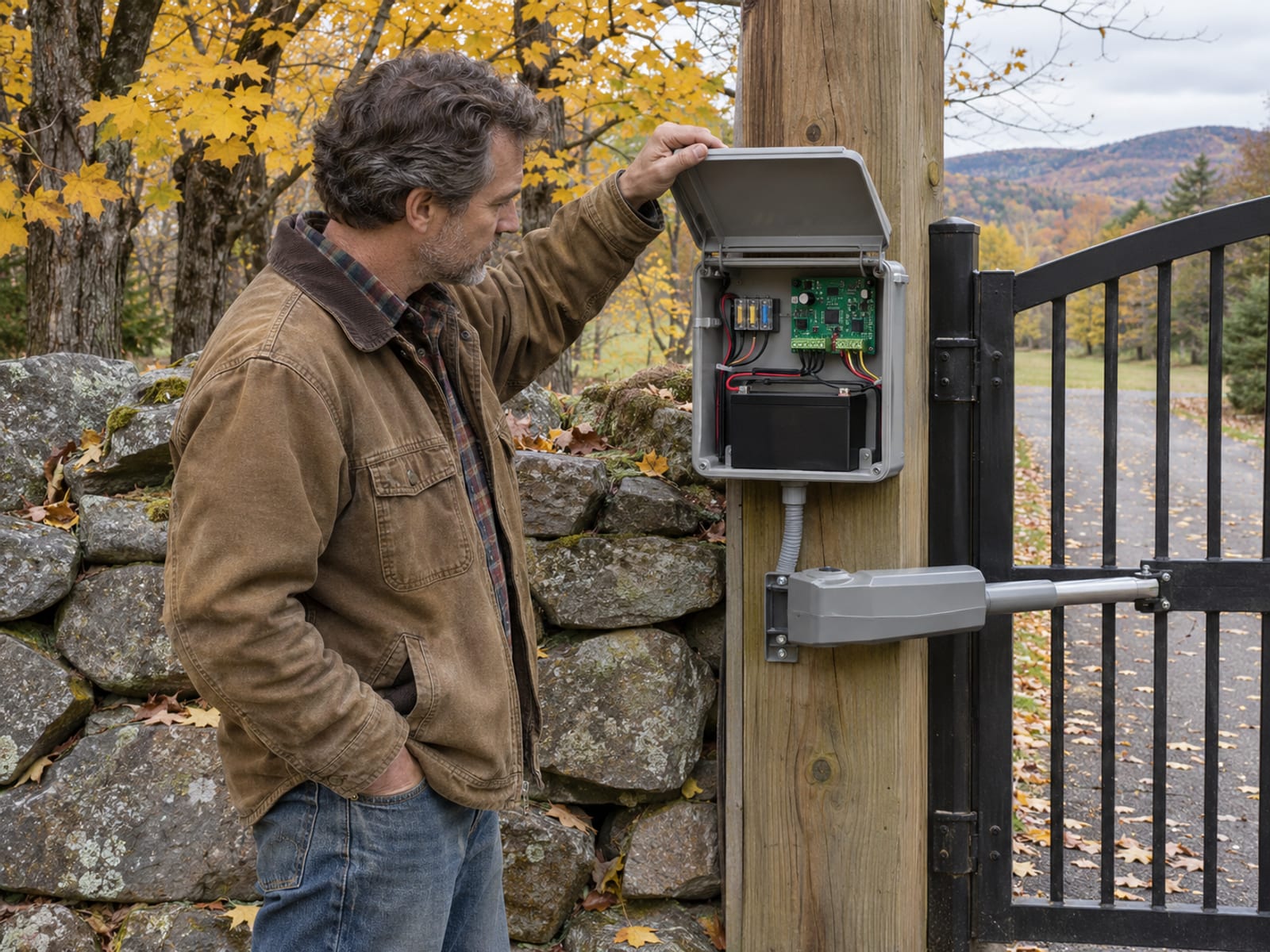
Next, look at what charges the battery. On the MM571W and MM572W the manual lists a transformer with 120 VAC input and 19 VDC output, with replacement part RP1010 at 19 V and 2 A DC. Solar charging is the other option, and the manual says never to run the transformer and a solar panel at the same time, because that can damage the battery and the control board. Also check the fuses and the battery wiring connections for corrosion or a loose clamp.
Mighty Mule says a fully charged battery averages about 50 cycles during a power outage, and that the real number depends on gate type and size, accessories, battery age and weather. If you rely on a solar panel, the manual's winter figures show how few cycles a small panel can support on a short, gray day.
Winter solar cycles per day for a single gate (MM571W and MM572W manual)
Zone 1: ---
Zone 2: ---
Zone 3: ---
Tap a row to open it.
Mighty Mule describes these as the maximum expected cycles before the battery runs down in minimum-sunlight winter conditions, and every accessory draws additional power. The manual recommends a second battery for solar or high-traffic gates. If you open the gate more times a day than your panel's row allows, the battery will end up low no matter how new it is.
What the beeps mean
The control board talks through its buzzer. A continuous alarm means the board senses an obstruction or an arm that is not moving. In that case, check the gate path, confirm the gate swings freely and sits level and plumb, look at the stall-force setting and any obstruction devices, and confirm the required 2-inch clearance and the arm's power-cable connections.
The repeating patterns point to specific parts of the system. Mighty Mule's manual lists these for the MM571W and MM572W:
- One beep every 10 seconds means low battery. Check the fuses, the wiring connections, the battery under load, the transformer's 19 VDC output and any solar panel and its wire polarity.
- Two beeps every 10 seconds means a motor fault. Check the arm connections, the fuses, the wiring and the battery charge, and know that an internal motor short is possible.
- One through six beeps that repeat after a pause identify open circuits, short circuits or a stuck limit switch on the primary or secondary arm.
Rapid beeping can mean the gate hit two obstructions before reaching a limit. On the older 362-D manual, powering the system off and back on resets that alarm. If the unit clicks but the arm does not move after a restart, the manual points to the arm or its power cable as the likely fault.
The gate reversing or stopping partway has its own checks. Look at the gate path, confirm the gate is not sticking, and look at obstruction-detection devices and arm cable connections. If the arm stops short of the correct position, reset the extended limit starting with the arm fully retracted.
Never disable a safety sensor to make the beeping stop. The beep is the system doing its job, and UL 325 entrapment protection on residential gates exists because a moving gate can hurt a person, a child or a pet.
Remotes, keypads and limits that will not set
When a remote does nothing, the cause is often upstream of the remote. The manual says the operator can appear dead if the open and closed limits were never programmed before the transmitter, so check the limits first. After that, confirm the transmitter is programmed, then check the battery, the fuses and the arm connections.
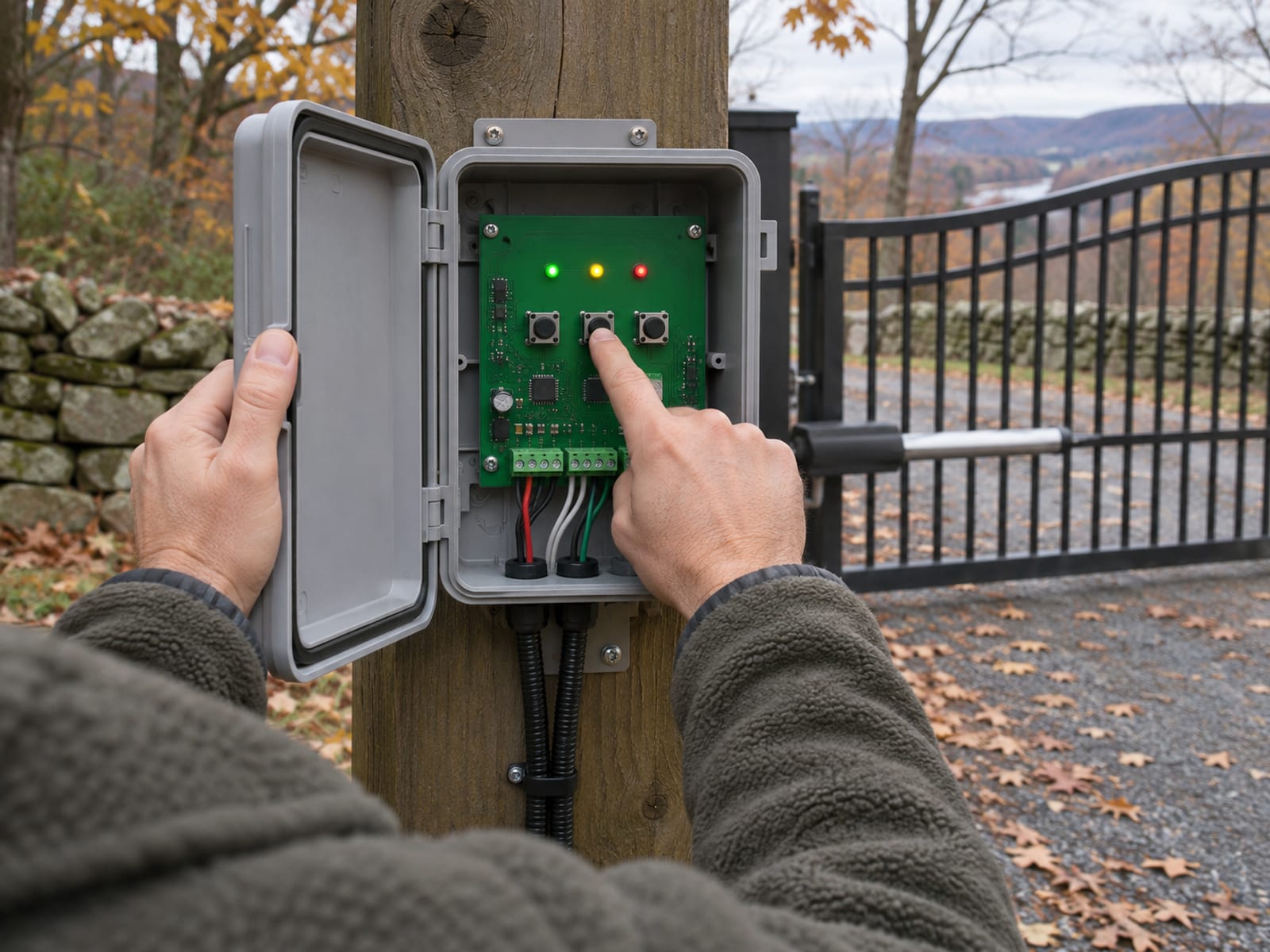
A stuck button can also jam the system. Mighty Mule's manual says to check for a stuck transmitter or accessory, and one way to do that is to remove the batteries from other wireless accessories. Normal transmitter range is about 50 to 100 feet, and weather, terrain and outside interference change it, so a remote that works up close and fails at the road may just be out of range.
To set limits on the MM571W and MM572W for a pull-to-open gate, hold S2 and S3 until LED1 lights and the buzzer sounds. Then hold S2 to extend the arm and close the gate, release at the closed position you want, and use S4 to back up if you overshoot. Hold S3 until the buzzer sounds, then release. For a dual gate, press S3 and S4 until LED3 lights to set the secondary arm. Push-to-open gates follow the same pattern but set the open limit instead. After the limits are set, run the gate through four complete open and close cycles so the controller can configure its force setup.
To learn a transmitter or an MMK200 keypad code, hold the control board's Enter button until LED2 lights and the buzzer sounds, release it, then hold the transmitter button until LED2 flashes and the buzzer sounds. To erase every learned code, enter Learn Transmitter mode and hold the down-arrow button for about 10 seconds, until LEDs 1, 2 and 3 flash and the buzzer sounds. Mighty Mule's MM571W and MM572W installation manual gives the full sequence, including the dual-gate steps.
One warning applies to the stall-force setting. The manual says not to raise stall force to make up for a gate that sticks or binds, because excessive force can damage the operator and the gate. Fix the binding hinge, the sagging leaf or the dragging latch instead.
Releasing the arm by hand during a power or battery failure
When the battery is dead and the gate is stuck shut or open, you can free the arm and move the gate by hand. Mighty Mule's procedure for the MM571W and MM572W is short, and the order matters.
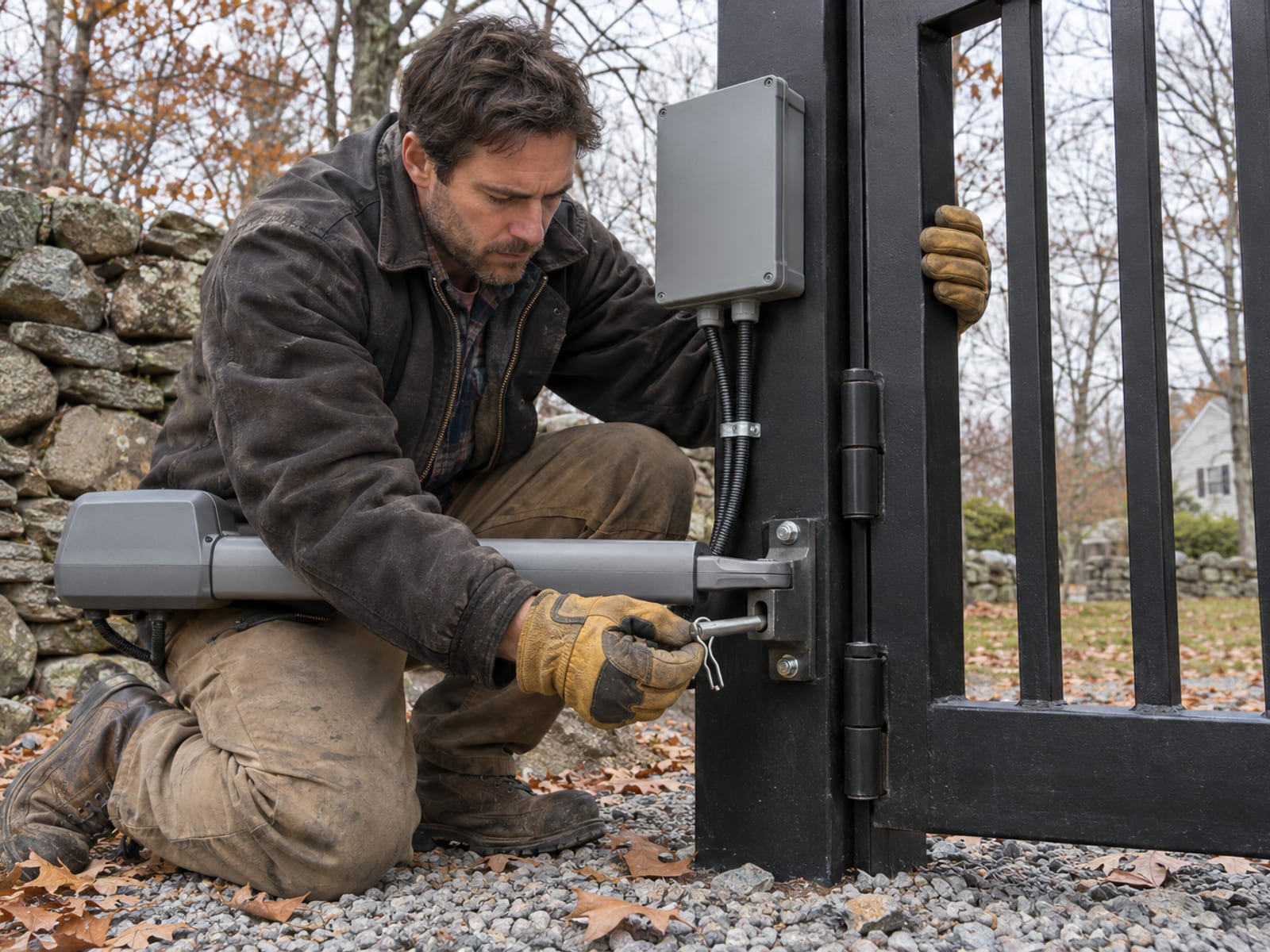
First, turn the control-box power switch off and confirm the gate is not moving. Then remove the hairpin clip and the clevis pin, and take the operator's front mount off the gate bracket. The gate then opens and closes by hand.
The manual warns that once the operator is removed, the gate moves freely and without control. Never disconnect the operator or use the manual release while the gate is moving. On a sloped driveway, a free gate can swing on its own, so hold it or block it before you let go.
Mighty Mule sells an FM133 pin lock that replaces the clevis pin and still allows a quick release, and an FM143 automatic gate lock (both on Mighty Mule's accessories page) with a keyed manual release. This release procedure is for the swing-gate arm. A slide gate uses its own chain-disconnect or manual-release setup, so read your slide operator's manual before pulling anything.
Once the gate is open or shut by hand, put the battery on a charger or swap it before you reconnect the arm. If the arm will not reconnect cleanly or the gate does not travel the same path as before, stop and have it looked at, because forcing the arm back on can bend the bracket.
Cold weather and slow running
A Mighty Mule that crawls open on a freezing morning is often a battery issue, not a failing motor. Mighty Mule states that extreme cold can make its battery-powered openers run more slowly and may cause malfunction, and it recommends an optional battery heater in extreme cold. Strong winds can also affect the operator.
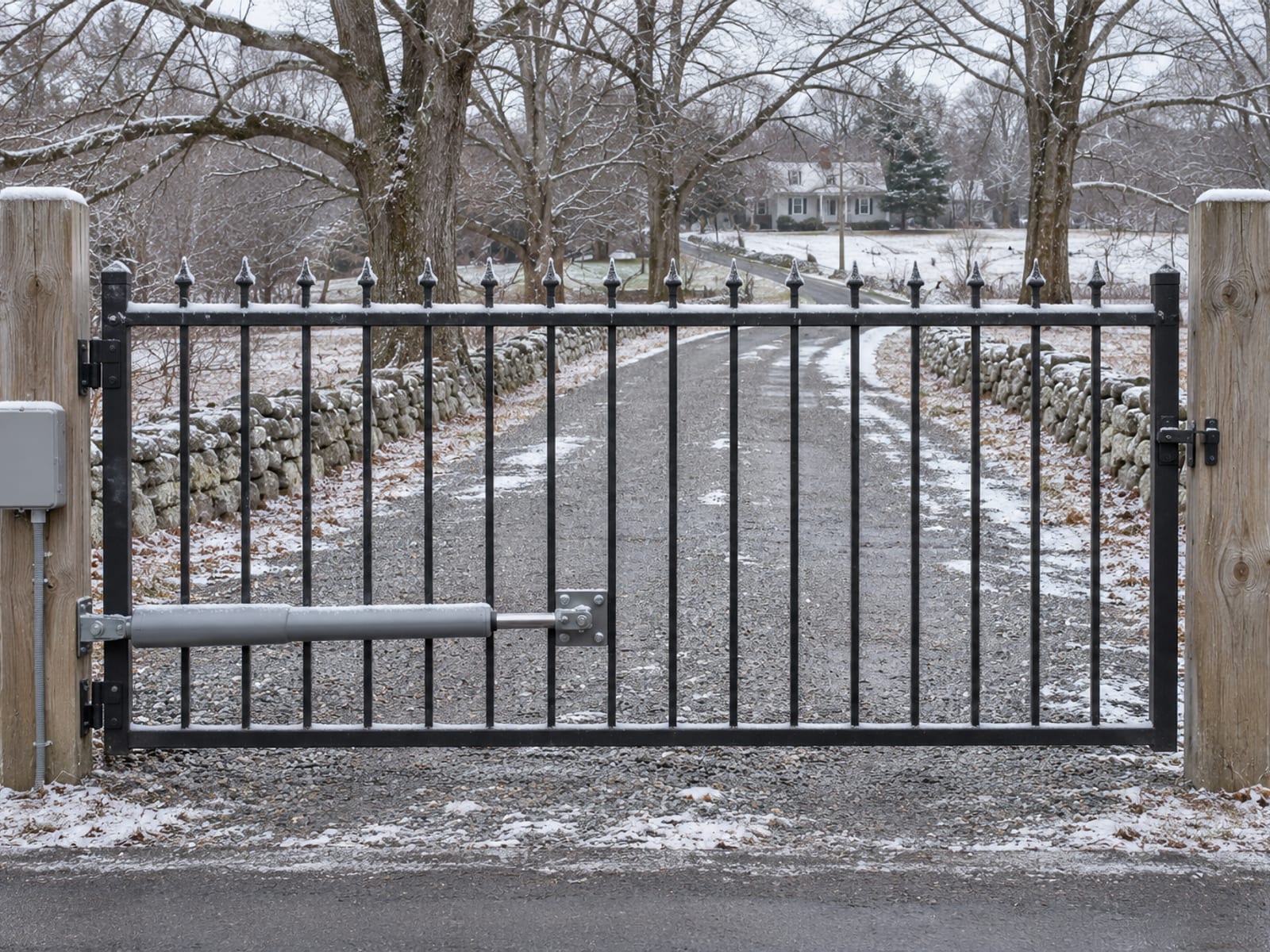
Cold hits an old battery harder than a new one, which is another reason the two-to-three-year replacement window matters. An undercharged battery that handles a mild day can fail the moment it has to push through ice at the hinge or a heavier gate leaf. The manual lists low battery, inadequate charging and battery condition under load as causes of alarms, clicking without arm movement and failure to run.
When the opener runs slowly, check in this order: battery charge under load, the transformer or solar output, then the gate itself. Look for a stiff hinge, a latch dragging on the ground or frost heave that has raised one post. The manual's troubleshooting table has no separate slow-movement entry, so the checks come from the power and binding items above. If the gate still moves slowly with a charged battery and a free gate, that is when to arrange service. Our automatic gate winter problems post covers frost, ice and snow on any brand of operator.
When the gate is too big for a Mighty Mule
Mighty Mule is a consumer line from Nice North America LLC (mightymule.com), and its swing models are rated for residential open-frame gates: ornamental, chain-link, tube, vinyl, wood and similar. The ratings below come from Mighty Mule's current product pages for the MM271, MM371W, MM571W and LPS-13, and the MM571W installation manual, read November 17, 2026.
Published swing and slide gate limits by Mighty Mule model
Gate type: ---
Maximum length: ---
Maximum weight: ---
Tap a row to open it.
The MM571W's weight depends on the length. Its manual pairs 850 pounds with 10 feet, 650 pounds with 12 feet, 550 pounds with 14 feet, 450 pounds with 16 feet and 350 pounds with 18 feet. The MM572W uses the same chart for each leaf. The LPS-13 is also rated for up to 100 cycles per day in residential use. Mighty Mule's MM371W and MM571W pages say the swing operators are not rated for solid gates with more than 30 percent solid surface coverage, because wind pressure on a solid leaf can overload them.
If your MM360 or MM562 is the one in trouble, both are on Mighty Mule's discontinued list, along with the MM260, MM262, MM362, MM462, MM560, MM600 and MM660. Replacement parts and manuals for those models are worth confirming with Mighty Mule before you plan a repair.
When a gate is longer, heavier, more solid or opened more often than the model's rating, no adjustment fixes it. The usual answer is a properly sized operator, and for heavy solid gates, large slide gates and high daily traffic that is typically a commercial-grade unit. Our swing or slide driveway gate post helps you weigh which style suits your driveway, and the Gate Repair page explains how we handle existing automatic gates of any brand.
Frequently Asked Questions
Why does my Mighty Mule gate opener click but not move?
Mighty Mule's manual points to the arm or its power cable when the unit clicks but the arm does not move after you power the system off and on. Check the arm connections at the control board, the fuses and the battery under load, and confirm the gate is free and not binding.
What does one beep every 10 seconds mean?
On the MM571W and MM572W it means low battery. Check the fuses, the battery wiring connections, the battery under load, the 120 VAC input, the 19 VDC transformer output and any solar panel and its wire polarity.
How do I open a Mighty Mule gate by hand when the power is out?
Turn the control-box power switch off and make sure the gate is not moving. Remove the hairpin clip and clevis pin, take the operator's front mount off the gate bracket, then move the gate by hand. Hold it, because it moves freely once the arm is off.
How often should I replace the battery?
Mighty Mule's manual says to replace batteries every two to three years and to recycle the old one properly. A battery that is older or undercharged also loses more in cold weather.
Can I use a Mighty Mule on a heavy solid gate?
Not beyond the ratings. The MM371W and MM571W pages say not to use the swing operators on solid gates with more than 30 percent solid surface coverage, and every model has a published weight and length limit. A gate past those limits needs a properly sized operator.
Check yourself
1. What do two beeps every 10 seconds mean on an MM571W or MM572W?
2. What should you do before removing the clevis pin to release the arm?
3. Why should you set the open and closed limits before programming a remote?
4. What does the MM571W manual say about using stall force on a gate that binds?
5. How long does Mighty Mule say to go between battery replacements?
A Mighty Mule that stops working is usually asking for a charged battery, a free-swinging gate or a limit that was never set. Work through those in order, release the arm only with the power off, and leave the safety sensors alone. If the gate is too heavy for the model or the same fault keeps coming back, a repair visit or a larger operator will cost less than another dead battery.
If you want a technician to look at an automatic gate in Putnam, Westchester, Dutchess, Orange, Ulster or Rockland County, Portillo Fences and Gates handles gate repair on existing systems of any brand and can talk through automatic gate options when a replacement is the better call. Use our contact page or call (845) 282-3336.